
A practical photo checklist for a footwear launch
Consistent photographs help buyers compare styles and understand what they are looking at. Plan the image set around the questions a product page needs to answer.
Published:

Cover the product from useful angles
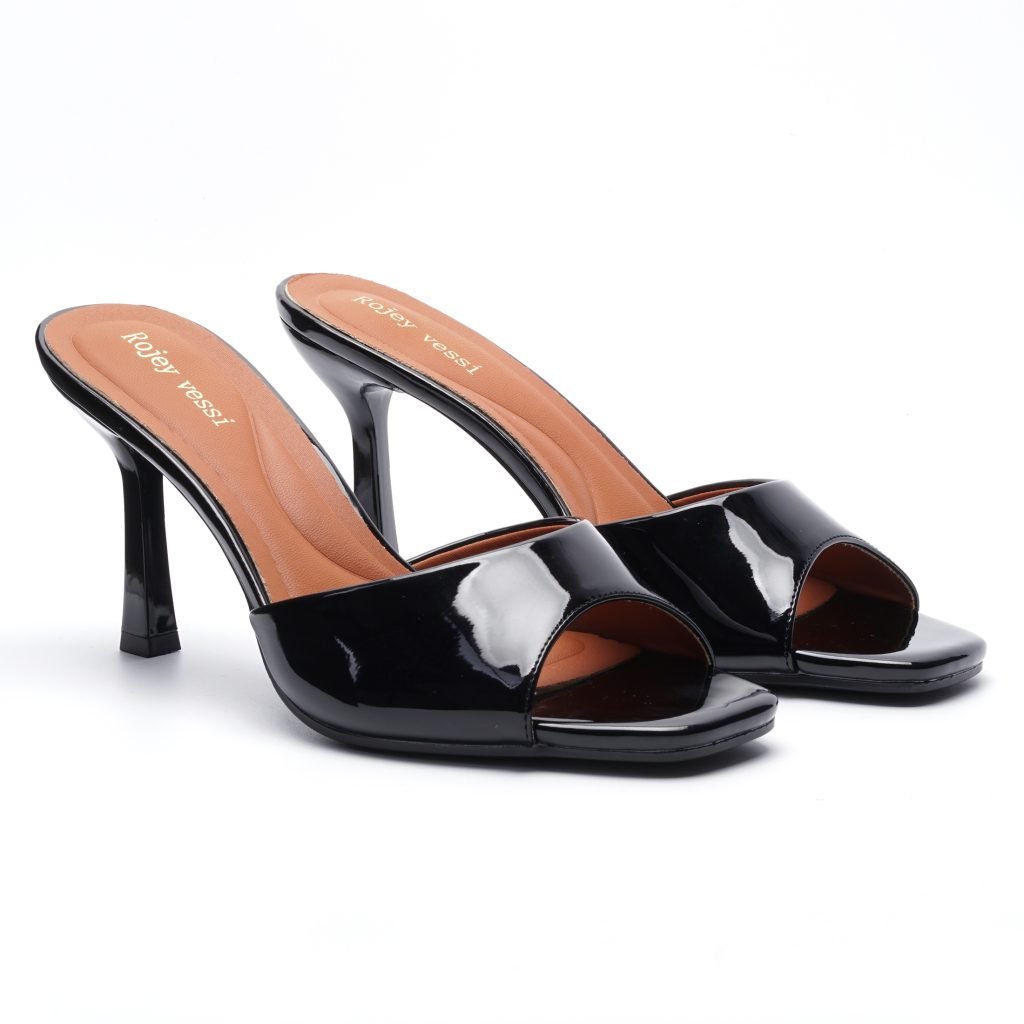
Prepare a side view, front view, rear view, top view and sole view for each photographed style. Add a close-up where a fastening, texture or construction detail needs explanation. Use a consistent background, distance and framing across the collection. Keep a full-product image as the main photograph so the silhouette remains readable when displayed as a small catalogue card.
Keep colour and style identification together
Name or group files by style code and colour reference. Photograph actual colour variants separately when they are available, and keep composite images as supplementary views. Lighting and screens can change how a colour appears, so agree a physical reference where colour matching matters. Do not use retouching to invent a material finish, hide a construction detail or present a proposed colour as a confirmed sample.
Match the image to the product information
Before publishing, check that the photographed style matches the page title, style code and confirmed specifications. Supply a concise image description that identifies the product and the visible view. Keep original files and export appropriately sized website copies. A picture shows appearance; it does not confirm stock, price, material composition or production timing. Those fields need their own verified information.
How should I identify product photos used in a buying decision?
Keep an image record beside the product or sample information. It should make clear which shoe and view were photographed, which details are confirmed elsewhere, and which questions still need a response.
- Asset identity: File name, style or sample code, revision and colour reference where known.
- Subject and view: Identify whether this is the actual reviewed sample or catalogue reference, and name the visible view.
- Image source: Who supplied the file and any permission or usage question still to confirm.
- Photograph details: Record the photographed size and capture date if known; keep unavailable information unknown.
- Changes to the image: Keep the original and note cropping, resizing or other edits; do not treat an edited colour as approval of a physical sample.
- Supporting information: Link the written specification or sample record used to confirm materials, measurements or other details the photograph cannot establish.
- Open buying questions: Record stock, price, quantity, timing or colour-match questions separately from the picture.
- Export reference: Keep the website export linked to the source file, with an image description that identifies the shoe and visible view.
Before publishing or approving a product reference, check the style, colour and revision against the written record. Keep proposed changes pending until reviewed. A photo record helps identify the evidence; it is not proof of stock, material composition, durability or sample approval.
Check the scope of factory photographs and documents
Prepare the written sample-development reference
Connect photographs to a sample-feedback entry
Start with a shortlist
Browse the collection, then share style codes, quantities and destination to discuss your requirements.
Continue reading
 Colour approval
High Heel Colour Approval: A Checklist for Wholesale and Private Label Buyers
Published:
A colour name helps you shortlist shoes, but it does not tell a supplier which shade, surface or component combination to reproduce. Use this checklist to turn a high heel colour choice into a reference that the buyer, supplier and inspection team can all use.
Read articleSizing and sample approvalHigh Heel Size Charts: What Wholesale Buyers Should Confirm
Published:
A size number is not a complete buying specification. Before ordering wholesale high heels, connect the supplier’s size chart to the exact style, the intended customer and a checked sample. This guide helps buyers organise that conversation without assuming that a conversion table guarantees fit.
Read article